


Your first location ranks. You open a second one, copy what worked, and the new one goes nowhere. Or worse, the old one slips.
That’s the multi-location problem. Local search visibility is decided one location at a time, by how close the searcher is, how well a profile matches what they typed, and how well known that specific location is. Google calls those three things distance, relevance and prominence. Your brand’s overall reputation helps, but it doesn’t rank your Denver store for someone standing in Denver.
So every business location needs its own setup, and you need a system that keeps it consistent across all locations, whether that’s 5 or hundreds of locations, without a 200-tab spreadsheet nobody updates. Past a few dozen locations and thousands of pages, the website itself becomes the bottleneck, which our enterprise SEO guide covers.
This guide is that system: what changes for a multi-location business, seven steps to rank each location, the two-locations-in-one-city problem, where to spend first, and how to track local results per location.
Key Takeaways
One profile per location, no more. Google's guidelines allow exactly one Business Profile per physical location, and a chain can verify all of them at once if it has 10 or more.
Location pages can't be clones. Google's spam policy names "multiple domain names or pages targeted at specific regions or cities that funnel users to one page" as doorway abuse, so each page needs content only that location could publish.
Reviews are now the signal moving up. Whitespark's 2026 Local Search Ranking Factors survey of 47 experts found review and behavioral signals gaining weight while citations lost ground.
Recent reviews matter more than old ones. BrightLocal's 2026 consumer survey found 74% of people want reviews from the last three months, so every location needs its own steady flow, not a brand total.
Same-city locations compete with each other unless you separate them. Different neighborhoods, non-overlapping service areas and distinct pages keep Google from treating them as duplicates.
Spend on the profile first. Google Business Profile signals top Whitespark's factor list, so a tight budget goes there before links, citations or software.
Track per location or you're guessing. Brand-level traffic hides a store that's quietly dying. Rankings, calls and direction requests are location-level numbers.
What Changes When You Have More Than One Location
Single-location local SEO (search engine optimization, the work of showing up in local search results when people nearby search for what you sell) is a focused job. One Google Business Profile, one set of pages, one review link, one market. Most small businesses never need more.
Add locations and three things change. The work multiplies: twelve locations means twelve profiles, twelve pages, twelve review funnels and twelve sets of listings. Consistency becomes the hard part: Google’s Business Profile guidelines tell chains to keep names and categories consistent across every location, and one manager who renames a profile “Joe’s Pizza Downtown” breaks that. And your own locations can hurt each other: two profiles with overlapping service areas, or two pages with the same copy and a different city name, give Google a reason to pick one and ignore the other.
| Single location | Multiple locations | |
|---|---|---|
| Google Business Profile | One, managed by the owner | One per location in a business group, with consistent names and categories |
| Website structure | Homepage carries the local signals | A location directory (/locations/) plus one unique page per location |
| Keyword research | One market | Per market, because the words people use change by city and neighborhood |
| Reviews | One review link, one stream | A review request process at every location, tracked per location |
| Citations (listings) | A dozen directories, done once | A master NAP record (name, address, phone) and a tool or process to sync every location |
| Links | Any relevant local link helps | Links need to point at the right location page, not just the homepage |
| Tracking | Brand rankings and calls | Rankings, profile actions and leads per location |
| Biggest risk | Neglect | Drift: profiles, pages and listings slowly stop matching |
The rest of this guide walks through each row.
Step 1: Set Up One Google Business Profile Per Location (And Structure Them Right)
Google Business Profile (the free listing that powers the Google Maps results, often called the map pack or local pack) is where most of your local ranking power lives. In Whitespark’s 2026 Local Search Ranking Factors survey, the top-scored factors for map rankings were the primary profile category, the distance from the searcher, keywords in the business title, and a physical address in the city being searched. All four live on the profile, which is why Google Business Profile optimization comes before everything else.
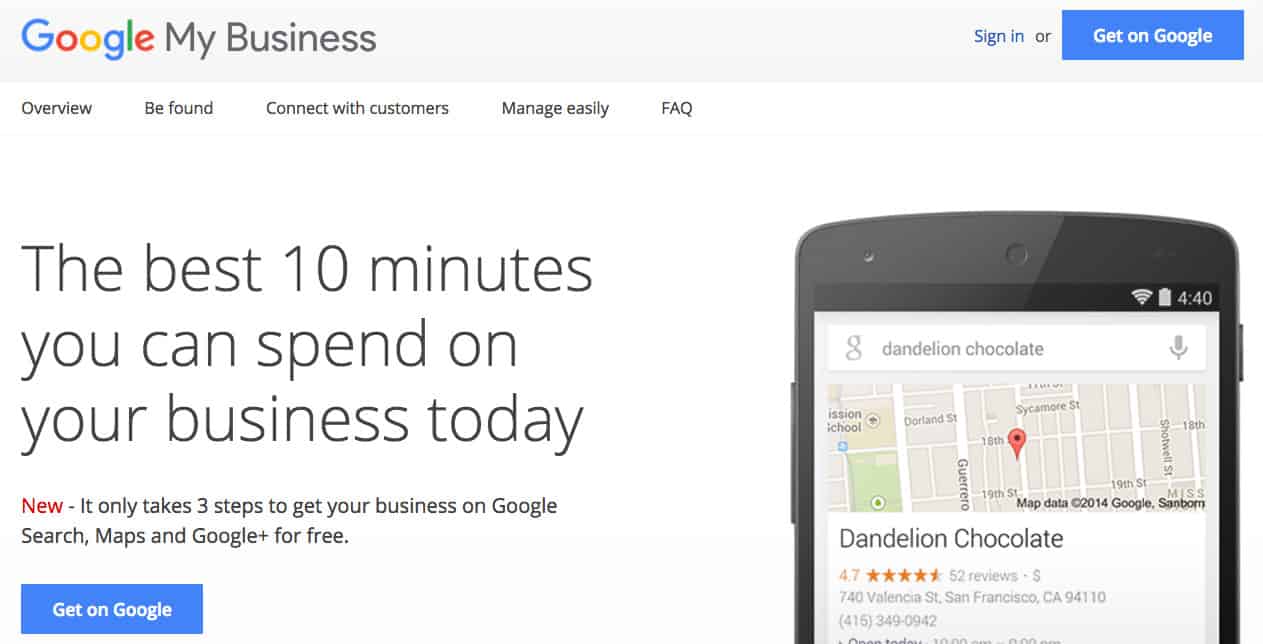
One profile per physical location. Google’s guidelines say not to create more than one profile for each location, in one account or across several. A second profile for the same address is grounds for a suspension that can take both down.
Manage them in a business group. Google recommends organizations create a business group (sometimes still called a location group) so owners and managers share access to every profile without sharing a personal login. Store managers get manager access to their own profile, not owner access to the group.
Bulk verify if you have 10 or more. Google offers bulk verification for chains with 10 or more profiles of the same business, done through a spreadsheet upload. The spreadsheet has to list every location you manage, duplicate or suspended profiles don’t count toward the 10, service-area businesses aren’t eligible, and agencies holding several different businesses in one account can’t use it. Under 10 locations, each profile is verified on its own.
Follow the naming rules. The profile name must be your real-world business name. Google specifically bans adding location details, taglines, store codes or phone numbers to the name. “Joe’s Pizza” is right; “Joe’s Pizza Downtown Denver” is a violation, even though it’s tempting. The address field tells Google where you are.
Use a local phone number. Google’s guidelines say to use a local number that connects to that location instead of a central call-center line whenever possible. If every location lists the same 800 number, you’ve thrown away a signal and made it harder for the customer to reach the right store.
Set the structure for what you actually have:
- Separate stores: one profile each, same name, same primary category.
- Departments at one address that operate as distinct businesses (a dealership’s service center): Google allows a separate profile for each public-facing department.
- Practitioners (doctors, lawyers, agents): a profile with only the practitioner’s name, plus the organization’s own profile for the location.
- Service businesses with no storefront: one profile per base, with a service area Google says should stay within about two hours of driving time.
Then optimize every profile the same way: categories, hours including holidays, services, attributes, photos of that actual location, and a location-specific description. Our Google Business Profile checklist walks through every field.
Before you touch anything else, pull every profile your brand owns into one list. Chains almost always find a duplicate, an old owner's unclaimed profile, or a closed location still showing as open. Fix those first. Google won't rank a location it's confused about.
- Duplicates
- Unclaimed profiles
- Closed locations
- Wrong primary category
Step 2: Build Location Pages That Aren't Duplicates
Each location needs its own landing page on your site. Not a list of addresses on one “Locations” page, and not a separate domain per city. A single domain keeps the authority you’ve built in one place, and each location page borrows from it.
The structure that works:
- yourbrand.com/locations/ (a directory page that links to every location)
- yourbrand.com/locations/denver/
- yourbrand.com/locations/boulder/
If you have multiple locations in one city, go one level deeper: /locations/denver-capitol-hill/ and /locations/denver-highlands/.
The trap is the template. Writing one page, swapping the city name, and publishing it 40 times is exactly what Google’s spam policy describes as doorway abuse: “multiple domain names or pages targeted at specific regions or cities that funnel users to one page” and “substantially similar pages.” Those pages don’t get a penalty so much as they get ignored.
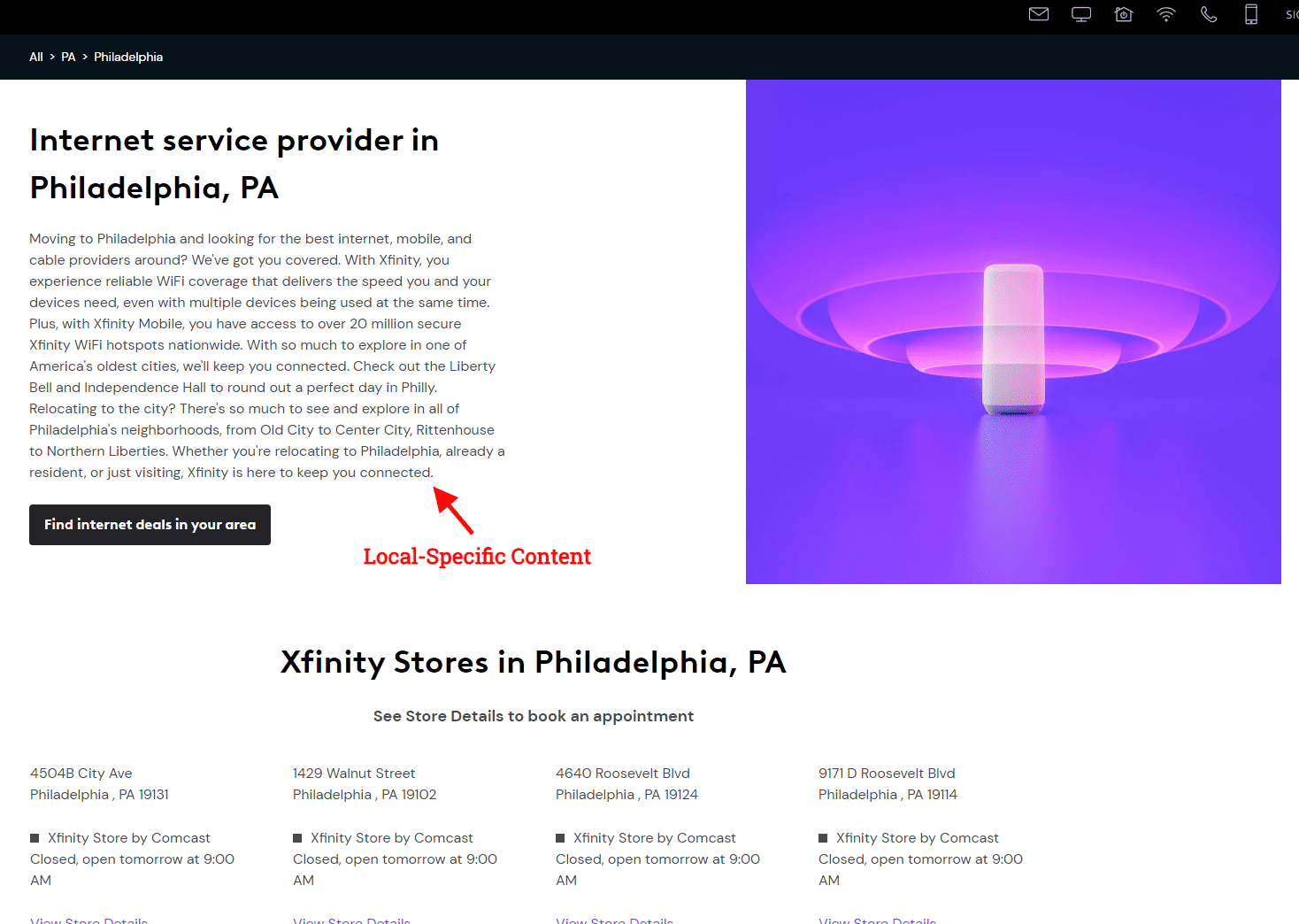
What belongs on a location page that only that location could publish:
- Exact NAP (name, address, phone), matching the profile character for character, plus hours
- An embedded map and written directions (“across from the Target on Colorado Boulevard”)
- The services offered at that location, including what’s different (no drive-through here, Saturday appointments there)
- The team, with names and photos of people who actually work there
- Reviews from that location, not a brand-wide feed
- Local content: the neighborhoods you serve, nearby landmarks, events you sponsor, local partners
- Photos of the actual building and one clear next step: call this store, book at this office, get directions
The content doesn’t have to be long. It has to be true and specific. Three honest paragraphs about the Boulder office beat 1,200 words of “we proudly serve the Boulder community” filler.
Then link the pages together: navigation to the directory, directory to every location, each location back to the directory. A store locator that only works through a search box gives Google no crawlable path to the pages.
Step 3: Do Keyword Research Per Location
People in different markets search differently. One city says “urgent care,” the next says “walk-in clinic.” One neighborhood searches by its own name, another by the nearest landmark.
For each location, build a short list of local keywords: service + city, service + neighborhood, and the questions local customers ask before they choose (those become FAQ content on the page). Skip stuffing “near me” into copy; Google resolves it from the searcher’s location, so the right address and category on your profile do that work.
Our guide to local keyword research covers the process. Do it once per market, then use the results in the title tag, H1 and first paragraph of each location page. One natural mention of the neighborhood beats ten of the city name.
Step 4: Keep Citations and NAP Consistent at Scale
A citation is any mention of your business name, address and phone number on another site: Apple Maps, Bing Places, Yelp, Facebook, the chamber of commerce, industry directories, data aggregators that feed the rest.
Citations matter less for ranking than they used to. In Whitespark’s 2026 survey, citations lost about half a percentage point of weight, and several experts surveyed now treat them as a baseline Google requirement rather than a growth lever: build them if you must, but make sure they’re indexed, or they don’t count.
They still matter for consistency. “Joe’s Pizza” on Google, “Joe’s Pizzeria” on Yelp and “Joes Pizza Shop” on Apple Maps gives Google three versions of one business to reconcile. At one location that’s a nuisance. At 30 it’s a mess nobody owns.
So the goal isn’t volume. It’s one correct record per location, pushed everywhere that matters, and checked on a schedule.
Build the master record first. One spreadsheet, one row per location. Everything else copies from it. Nobody edits a directory listing from memory.
Pick the directories that matter for your category and cities. Google, Apple, Bing, Facebook and Yelp for everyone, then the industry directories and the local directories (chambers, business associations, city guides). Twenty accurate, indexed listings per location beat a hundred junk directories.
Use a listing-sync tool once you pass a handful of locations. Updating 15 directories by hand for 25 locations is 375 edits every time a phone number changes. Sync tools push the master record out and flag drift. They cost money. The time they save is worth more.
The Columns Every Location Row Needs
- Location ID (your internal code)
- Business name (exactly as on the Google Business Profile)
- Street address, suite, city, state, ZIP
- Local phone (the one on the profile and the page)
- Location page URL
- Primary category and secondary categories
- Hours, with holiday exceptions
- Google Business Profile ID and the review short link
- Owner of this row (the person who approves changes)
Every NAP mistake we've cleaned up started with someone editing a listing from memory. One row per location, one approver per row, and every directory copies from it.
Want Every Step in This Guide as a Per-Location Checklist?
Our Multi-Location SEO Checklist is a Google Sheet with three tabs: setup tasks for every new location, monthly maintenance, and a quarterly review. Copy it, add a column per location, and track who did what.
Get the free checklistStep 5: Earn Reviews for Each Location, Not for the Brand
Reviews are the local signal that’s growing. Whitespark’s 2026 survey found review signals gained weight for map rankings, and high Google ratings and the number of Google reviews with text both sit in the top ten factors. Google’s own guidance says more reviews and positive ratings can help local ranking.
Customers weigh them even harder. BrightLocal’s 2026 Local Consumer Review Survey (1,002 US adults) found 97% read reviews online, 41% now read them every time they look for a business, and 80% are more likely to use a business that responds to all of its reviews. Recency matters: 74% want reviews from the last three months.
Reviews attach to the profile, not the brand. Your flagship’s 600 reviews do nothing for the new location with four. So every location needs:
- Its own review link, generated from that location’s profile, in every post-visit text, email and receipt
- A staff habit, not a campaign. The front desk asks every day. Locations that ask consistently pull ahead of locations that ask in bursts.
- Replies to every review by someone at that location. BrightLocal found 50% of consumers are put off by generic, templated replies.
- A monthly count per location. Two reviews in Boulder and twenty in Denver is a management problem, not an SEO problem.
Stay inside Google’s review policy. It bans offering incentives for reviews, discouraging negative reviews, selectively asking only happy customers, and pressuring people to leave a review while on the premises. Ask everyone, the same way, and let the reviews land where they land.
Step 6: Add LocalBusiness Schema to Each Location Page
Schema markup is code that tells search engines what a page is about in a format they read directly. Google’s guidance is to define each location as its own LocalBusiness, with name and address required and coordinates, hours, phone, URL and price range recommended. Departments with their own hours or phone get marked up inside the parent.
Schema is not a ranking factor, and Google doesn’t guarantee rich results will show. What it does is confirm the same name, address, phone and hours on your page that Google sees on the profile. One more consistency check passed, at 50 locations, automatically.
Step 7: Track Rankings, Profile Actions and Leads Per Location
This is where multi-location SEO breaks down most often. The brand’s organic traffic is up 12%, everyone’s happy, and nobody notices that four locations are losing to a competitor who opened across the street.
Track three layers for every location:
Local rank tracking, measured from inside each market. Local rankings change by where the searcher stands. A grid-based rank tracker checks the map pack from many points across a city and shows where each location wins and where it fades. For same-city locations, it’s the only way to see which one Google serves in which neighborhood.
Profile actions. Each Google Business Profile reports its own searches, views, calls, direction requests and website clicks. Export them monthly into one table, one row per location. Rising views and flat calls is a profile problem (wrong hours, bad photos, no reviews). Falling views is a ranking problem.
Leads on the site. Give each location page its own call tracking number (forwarding to the real local line, which stays on the profile), form and booking link, so Google Analytics shows calls, forms and bookings per page.
Put all three in one monthly report, sorted worst to best. The bottom five locations get the attention. Across many locations the first wins show up in a few markets, then spread as the pages, reviews and profiles mature.
"The BCC team are experts in their field and consistently deliver better than expected results."
Two Locations in One City: How to Keep Them From Competing With Each Other
Two offices in Denver. One keyword: “physical therapy denver.” Who ranks?
Google picks one. The map pack rarely shows two profiles from the same brand for the same query, and it decides by distance from the searcher. If both profiles and both pages look the same to Google, it picks one for the whole city and the other goes dark.
The fix is to make them different in the ways Google can read:
- Name them by neighborhood in the URL and the page, not in the profile name. The profile stays “Brand Name” (Google’s naming rules). The page is /locations/denver-capitol-hill/ with the neighborhood in the title tag and H1.
- Write different content. Different streets, landmarks, team, reviews, and services if there are any. The Capitol Hill page talks about Capitol Hill.
- Don’t overlap service areas. Whitespark’s 2026 survey lists overlapping service areas on multi-location profiles as a negative ranking factor.
- Separate the reviews and the links. Review links and local link building point to the specific location, so prominence builds for both instead of pooling at the flagship.
- Target different neighborhood keywords. Let the city-level term go to whichever location is closest to downtown and stop fighting over it.
Then watch the grid tracker. Each location should own the map pack around its own address. If one owns the whole city and the other owns nothing, the pages or profiles are still too similar.
Where to Spend First When the Budget Is Tight
You can’t do everything at every location at once, and you don’t have to. Spend in this order, because it’s roughly the order Google weighs things:
| Priority | What | Why it comes first | What it costs |
|---|---|---|---|
| 1 | Complete, consistent Google Business Profiles | Profile signals top Whitespark's 2026 factor list; mistakes here (duplicates, wrong category, wrong name) block everything else | Time, not money |
| 2 | Unique location pages with the right NAP and schema | The page is what the profile links to and what organic local searches land on | A writer who will visit or interview each location |
| 3 | A review process at every location | The signal gaining the most weight; also the one customers read | Staff habit plus a review tool if you're past 10 locations |
| 4 | Master NAP record and the core citations | Consistency protects everything above; volume beyond the core adds little | A sync tool once you pass a handful of locations |
| 5 | Per-location tracking | Tells you which locations need the next dollar | A grid rank tracker and call tracking |
| 6 | Local links per location | Real prominence, but slow and labor-heavy | Sponsorships, partnerships, PR time |
Then roll it out by location, not by task. Pick the three locations with the most upside, take them through all six priorities, measure, and use what you learn to template the next batch. Doing step one at 40 locations and never reaching step three is how multi-location SEO budgets disappear.

If you can only afford one thing per location this quarter, make it the profile and the reviews. We've watched chains pay for citation packages and link campaigns while half their profiles still had the wrong primary category. Fix the free things first. The paid things work better once they're fixed.
How Long Local SEO Takes Across Multiple Locations
There’s no single answer. It depends on where each location starts.
- Established locations with gaps (profiles and pages exist but are thin or inconsistent): map pack movement in about 60 to 90 days once the fixes are in.
- Bigger fixes or a crowded market (duplicates to resolve, pages to rebuild, strong competitors): often 3 to 6 months.
- Brand-new locations, or a brand entering a city for the first time: 6 to 12 months or more, because the profile has no reviews, history or links.
In a chain all three happen at once, so results come in waves. Aleyda Solis’s answer to “how long does SEO take” is that there’s no rule of thumb, and Lily Ray’s caution applies too: a location that jumps in month three hasn’t proven it will hold. Track monthly and judge on a trend.
Treat Every Location Like Its Own Business, Managed Like One Company
Local SEO for multiple locations comes down to one idea: Google ranks locations, not brands. Each location needs its own complete profile, its own real page, its own reviews and its own numbers. The company’s job is the local SEO strategy that keeps all of that consistent across all your locations, and the reporting that shows which one needs help next. The fundamentals behind every step are in our local SEO best practices guide.
Do that at three locations and it’s a process. Do it at thirty and it’s a department. If you’d rather it be ours, our multi-location local SEO services run this process for brands with three locations or more, and the roadmap call is where it starts.
Frequently Asked Questions
Give every location its own verified Google Business Profile, its own unique page on one domain, its own keyword list, its own review process and its own tracking. Keep the name, address and phone identical everywhere from one master record, and report results per location so the weakest ones get the next round of work.
Yes, exactly one. Google’s guidelines allow one profile per physical location and prohibit creating more than one for the same location. Manage them together in a business group, and if you have 10 or more, use Google’s bulk verification.
Yes. Use one domain with a location directory and a unique page for each location, such as /locations/city/. Separate domains per city split your authority, and cloned pages with only the city name changed fall under Google’s doorway abuse policy.
Make them different in ways Google can read: neighborhood-specific URLs, titles and content; separate reviews and links pointing to each; service areas that don’t overlap; and different neighborhood keywords. Each location should own the map pack around its own address instead of fighting for the city-wide term.
The exact name, address and phone that match the profile, hours, an embedded map and directions, the services offered there, the team, reviews from that location, local landmarks and partners, photos of the building, LocalBusiness schema, and one clear next step. Length matters less than specificity.
Use a grid-based rank tracker that checks the map pack from many points inside each city, export each profile’s searches, calls and direction requests monthly, and give each location page its own tracking number and form. Put all of it in one table with a row per location, sorted worst to best.
Which of Your Locations Is Losing Right Now?
- Which of your locations are losing the map pack, and to whom
- Where your profiles, pages and listings have drifted apart
- A 90-day plan per location you can run with or without us
