
Redirects might be one of the most boring topics in SEO, but they’re also one of the most important. I’ve watched too many businesses completely torpedo their organic traffic because they didn’t understand how to handle URL changes properly.
And honestly? It drives me crazy because it’s totally preventable.
Redirects for SEO are like performing surgery on your website while it’s still running. Do it right, and you’ll maintain all your rankings, traffic, and authority. Screw it up, and you’re looking at months of recovery time rebuilding what you just lost.
Whether you’re changing URLs, combining pages, deleting old content, or migrating your entire site to a new domain, understanding redirects isn’t optional. It’s absolutely critical. Every site owner needs to know how different types of redirects affect SEO and, more importantly, how to implement them without flushing all that link equity you’ve spent months building down the drain.
PRO TIP
What Are Redirects in SEO?
A redirect is exactly what it sounds like- you’re forwarding users and search engines to a different URL than the one they originally requested. Think of it like leaving a forwarding address when you move apartments. People show up at your old place, and there’s a note saying, “I’m actually over here now.”
The type of redirect you use sends completely different signals to Google. Choose the right one, and Google transfers all your SEO value to the new location. Choose the wrong one, and you’re basically telling Google, “hey, this might be temporary, so keep watching the old URL.”
See the problem?
Redirects break down into three main categories: permanent redirects, temporary redirects, and alternative redirects. Let’s dig into each one so you know exactly when to use what.
Permanent Redirects: The Heavy Hitters
When you implement a permanent redirect, you’re telling users and search engines that a page has moved permanently to a new location. Google removes the old URL from its index, replaces it with the new one, and transfers nearly all the ranking power in the process.
This is the bread and butter of SEO redirects.
301 Redirect – The Gold Standard
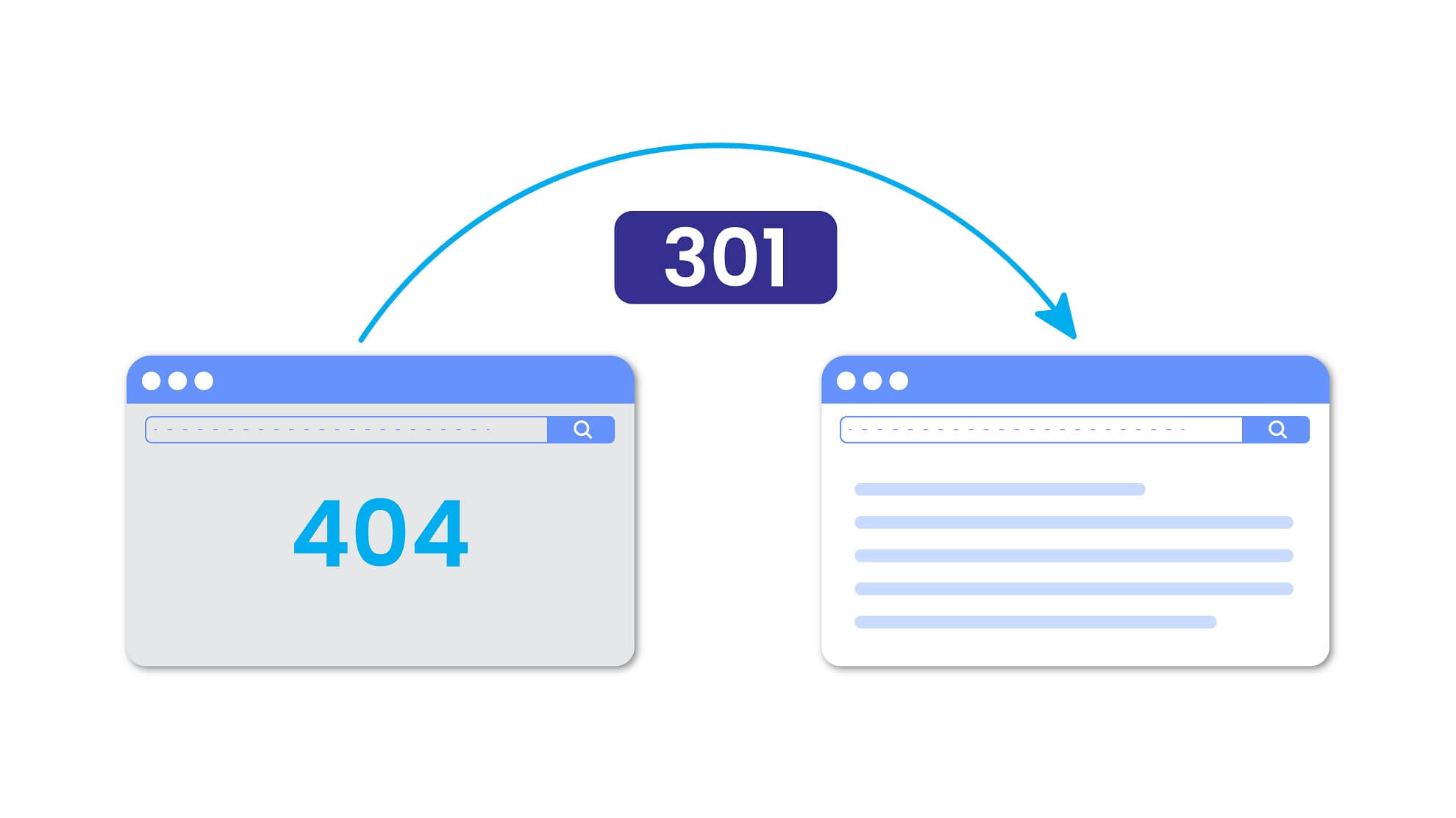
The 301 redirect is absolutely the best for SEO, no question. That “301” is just the HTTP status code for “moved permanently”- it tells search engine crawlers and web browsers that the content they’re looking for has a new permanent address.
What makes the 301 so powerful is that it preserves up to 99% of the link equity from the original page. All those backlinks you’ve built? All that domain authority you’ve accumulated over time? It transfers over when you use 301 redirects correctly.
And I can’t stress this enough, “correctly” is the keyword here.
PRO TIP
Instant Meta Refresh - When You Have No Other Option
Meta refresh redirects occur at the page level rather than the server level. If your platform doesn’t support proper server-side redirects, you can use this as a backup, but I’m telling you right now, it’s not ideal for SEO.
You’ve definitely seen these before: “If you are not redirected in 5 seconds, click here.” That delay? It’s terrible for user experience, and it signals to search engines that something’s off with your site.
Only use instant meta refresh redirects if you absolutely can’t implement proper 301 redirects. And even then, consider whether it’s time to switch to a better platform.
Temporary Redirects: For When You're Not Ready to Commit
Sometimes you need to send visitors to another page while you fix or update the original page, but you plan to bring the page back. That’s where temporary redirects come in handy.
With temporary redirects, Google keeps the old URL in its search results longer because you’re signaling that this isn’t a permanent move.
302 Redirect – The Short-Term Solution
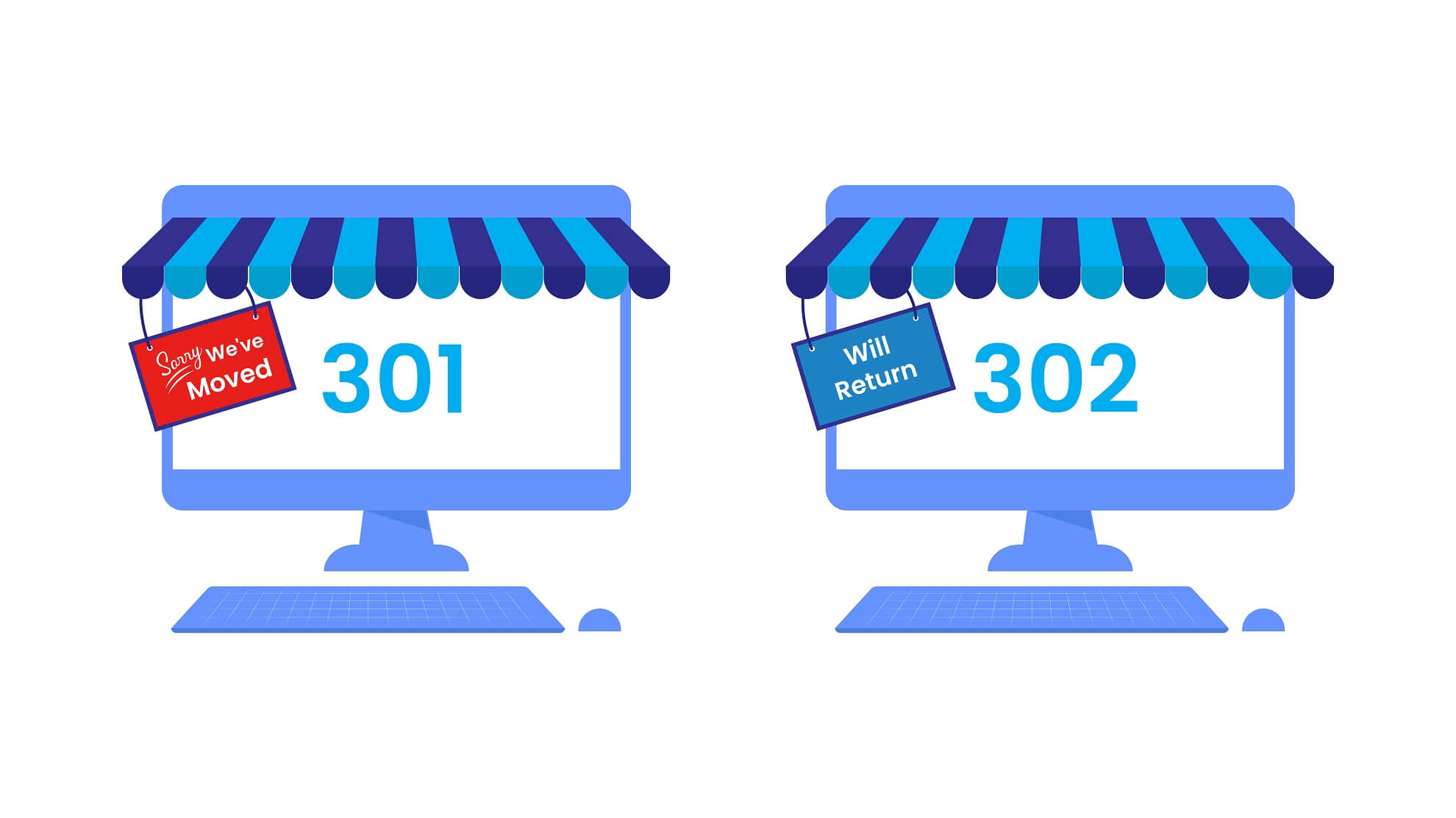
A 302 redirect tells search engines “hey, this is just temporary—keep the original page indexed.” Use this when you’re doing site maintenance or testing something new, but plan to return to the original URL.
The key thing to understand: a 302 doesn’t pass link equity to the new destination because it’s not permanent.
307 Redirect – Basically a Newer 302
The 307 redirect is essentially a more modern version of the 302 for HTTP 1.1-compatible URLs. But there’s no reliable way to know whether Google will recognize your page as HTTP/1.1-compatible and treat it accordingly.
My advice? Just stick with 302 redirects. Don’t overcomplicate things when the simpler option works perfectly fine.
Delayed Meta Refresh Redirect
Google typically treats instant meta-refresh redirects as permanent and delayed redirects as temporary. The only difference is that you’re making users wait for an arbitrary amount of time before the redirect happens.
Again, these create a lousy user experience. Avoid them whenever you can.
Alternative Redirects: Last Resort Territory
Sometimes your platform doesn’t play nice, and you can’t implement standard redirects. In those cases, you’ve got a few workarounds- though I’ll be honest, none of them are great for SEO.
JavaScript Redirect
JavaScript redirects work in a pinch, especially if Google is struggling to render your site. But they’re unpredictable. Sometimes Google misinterprets them as 301s, which completely defeats their purpose.
Use these only when you absolutely can’t get server-side redirects working.
Crypto Redirects (The Manual Route)
This is as basic as it gets- you literally just put a link to the new URL on the old page with a quick explanation. It’s a manual workaround for when nothing else is technically possible.
It beats leaving visitors at a dead end, but don’t expect it to preserve much SEO value.
Why Redirects Are Essential for SEO Performance
When you don’t implement redirects properly, that old URL leads straight to a 404 error page, a complete dead end. And that page? It loses everything. Rankings for target keywords, organic traffic, and all that authority you built over months or years. Gone.
I’ve seen it happen more times than I can count, and it’s painful every single time.
But when a search engine crawls an old URL and finds it redirecting to a relevant page with matching content, it transfers those SEO credentials to the new URL. Your keyword rankings, your organic traffic, your link equity- all preserved.
This transfer takes some time, though, and it depends heavily on how closely your new URL matches the old one. That’s why working with redirects requires strategic thinking, not just checking boxes on a technical to-do list.
Implementing redirects properly doesn’t just maintain your SEO performance; it also dramatically reduces bounce rates. When visitors land on a page that’s actually relevant to what they’re searching for, even if it’s not the exact original URL, they stick around. They convert. That’s the whole point.
PRO TIP
Understanding Redirect Chains (And Why They Kill Your SEO)
A redirect chain occurs when you change a URL multiple times without cleaning up the old redirects. You end up with this mess:
Old URL → Redirect 1 → Redirect 2 → Redirect 3 → Final URL
Every redirect in that chain eats into your link equity. Plus, redirect chains create a terrible user experience because page load times get slower as browsers bounce through multiple redirects.
Bottom line: avoid redirect chains at all costs. If you need to change a URL that’s already been redirected, update the original redirect to point directly to the new destination. Don’t just keep adding links to the chain like you’re building some SEO Rube Goldberg machine.

PRO TIP
Domain-Level Redirects and Site Migrations
Redirects aren’t just for individual pages; you’ll need them at the domain level too. Moving from HTTP to HTTPS, changing your website name, rebranding, migrating to a new domain- all of these require proper 301 redirects to maintain your SEO authority.
There are different approaches to website migration. If you’re changing URLs during the migration, you need to make damn sure every old URL redirects to its new counterpart and that those new URLs get properly indexed in search engines.
If you’re migrating without URL changes (e.g., just switching hosting providers), the biggest risk is technical setup errors that can confuse search engines about how to crawl and index your site.
Either way, you need a solid plan.
Redirect Strategy Feeling Overwhelming?
When Should You Use a 301 vs 302 Redirect?
This is one of the most common questions about redirects, and honestly, the answer is pretty straightforward once you understand the difference:
Use a 301 redirect when: You’re permanently moving a page and want to pass link equity to the new URL. This is what’s recommended for SEO in basically every scenario involving permanent URL changes.
Use a 302 redirect when: You need to temporarily send users to another URL but plan to restore the original URL soon. Like during site maintenance or when you’re testing different versions.
Google’s Webmaster Guidelines back this up: “If you need to change the URL of a page as it is shown in search engine results, we recommend that you use a server-side 301 redirect. This is the best way to ensure users and search engines are directed to the correct page.”
The key difference? A 301 redirect passes ranking power and link equity because it’s permanent. A 302 doesn’t transfer that authority because you’re telling Google it’s temporary.
Simple as that.
How to Create Redirects: Actually Doing the Work
Enough theory. Let’s talk about how to actually implement redirects on your site. There are several methods, and which one makes sense depends on your technical comfort level and what platform you’re using.
How to Implement Redirects Using WordPress Plugins
If you’re running WordPress (and let’s be honest, a lot of you are), using a plugin is hands-down the easiest way to create redirects without touching code.
I usually recommend Rank Math SEO because it’s got a powerful redirect manager built right in, plus it handles a ton of other SEO tasks you need anyway.
The process with most redirect plugins:
- Install and activate your chosen plugin
- Navigate to the redirect settings in your WordPress dashboard
- Enter the old URL (usually just the slug, like “/old-page”)
- Enter the new destination URL (the whole URL)
- Select the type of redirect (301 for permanent, 302 for temporary)
- Save your redirect settings
PRO TIP
How to Implement a Redirect Using Your .htaccess File (Advanced)
For those of you comfortable working with code, you can implement redirects directly in your .htaccess file. This is a text-based configuration file that controls directories on Apache web servers.
Fair warning: only try this if you’re confident with technical stuff. Mistakes in your .htaccess file can break your entire site, and that’s not a fun phone call to make.
To access your .htaccess file, log in to your hosting cPanel and open the File Manager. The exact location varies by hosting provider.
To redirect an entire domain:
Redirect 301 / https://www.newdomain.com/To redirect a single page:
Redirect 301 /old-page/ https://www.example.com/new-page/To redirect from HTTP to HTTPS:
RewriteEngine on
RewriteBase /
RewriteCond %{HTTP_HOST} ^domain.com [NC]
RewriteRule ^(.*)$ https://www.domain.com/$1 [R=301,NC]
Using PHP to Create Redirects
You can also use PHP code to redirect users by modifying the header() function:
<?php
header("Location: https://www.example.com/new-page/");
exit();
?>
This works well if you’ve got access to your site’s PHP files but can’t modify server settings.
Avoid Sneaky Redirects Like the Plague
Google explicitly prohibits “sneaky redirects”: redirects intentionally designed to mislead users and search engines. These aren’t just bad for SEO; they can get your site penalized or completely de-indexed.
Examples of sneaky redirects:
- Showing search engines one page while redirecting actual visitors to entirely different content
- Serving normal content to desktop users but spammy garbage to mobile users
- Using “doorway pages” that rank for specific keywords but redirect to totally unrelated pages
Don’t even think about trying these tactics. The short-term gains (if you even get any) aren’t remotely worth the long-term damage to your site’s reputation and rankings.
Common Redirect Mistakes That Tank Your SEO
After years of fixing redirect disasters for clients, these are the mistakes I see over and over:
1. Redirecting everything to the homepage: When you delete multiple pages, don’t just lazily point them all to your homepage. Find relevant replacement pages or create new content that actually serves the same search intent.
2. Not setting up redirects at all when changing URLs: Some people just change URLs and don’t redirect. The old pages become broken links, and all that SEO value evaporates. It’s mind-boggling.
3. Creating redirect loops: This happens when Page A redirects to Page B, which redirects back to Page A. Search engines can’t crawl it, users get stuck, and your site looks broken.
4. Using 302 when you mean 301: This is probably the most common mistake. If you’re permanently moving a page, use a 301 redirect. Don’t accidentally use a 302 and then wonder why your rankings aren’t transferring.
5. Forgetting to update internal links: Even after implementing redirects, update your internal links to point directly to new URLs. Don’t rely on redirects for your own site navigation—that’s just sloppy.
Monitoring Redirect Performance and SEO Impact
After you implement redirects, don’t just walk away. You need to monitor their performance to ensure users and search engines are actually getting to where they need to go.
Use Google Search Console to track:
- Crawl errors and 404 pages
- Coverage issues related to redirects
- How quickly Google discovers and indexes new URLs
Check your analytics for:
- Traffic changes to redirected pages
- Bounce rate on new destination URLs
- Page load times (redirects can slow things down)
If you notice a significant traffic drop after implementing redirects, something went wrong. Review your redirect strategy: you might have redirect chains, wrong redirect types, or poor matches between old and new content.
Why Professional Help Makes Sense for Complex Situations
Redirects seem simple on the surface, but they get complicated really fast—especially during site migrations, rebranding, or significant restructuring.
When you’re dealing with hundreds or thousands of URLs, a mass redirect strategy requires careful planning, technical expertise, and ongoing monitoring. One mistake can destroy months of SEO work in an afternoon.
This is precisely the kind of technical SEO work we handle for clients every day. We’ve been through this rodeo enough times to know where the pitfalls are and how to avoid them.
If you’re planning major site changes that involve redirects, let’s talk. We’ll audit your current setup, create a comprehensive redirect map, implement everything correctly, and monitor the results to make sure you don’t lose any of that hard-earned organic traffic. Schedule a consultation, and let’s make sure your migration doesn’t turn into a disaster.
Key Takeaways: Protect Your SEO with Proper Redirects
Redirects are absolutely non-negotiable for maintaining SEO performance when you need to change, combine, delete, or move URLs. What you need to remember:
- Use 301 redirects for permanent changes to pass nearly all link equity to the new URL
- Use 302 redirects only for temporary moves when you’ll restore the original URL
- Eliminate redirect chains by updating old redirects to point directly to final destinations
- Match old and new content closely to maintain rankings and keep users happy
- Implement redirects immediately when changing URLs—don’t leave broken links hanging around
- Monitor redirect performance using Google Search Console and analytics
- Never use sneaky redirects that try to game the system
Redirects might not be the most exciting part of SEO, but they’re critical infrastructure. Get them right, and you’ll protect all that SEO authority you’ve worked your butt off to build.
Need help implementing a redirect strategy that actually protects your rankings? At BCC Interactive, we specialize in technical SEO for businesses that want to maintain their organic traffic during site changes, migrations, and major restructuring. We’ve handled everything from simple page redirects to complex thousand-page migrations—and we make sure users and search engines always find what they’re looking for. Get in touch today, and let’s protect your site’s SEO value the right way.
FAQs
Not if you do them right. A proper 301 redirect preserves up to 99% of your link equity. The problem is when people use the wrong redirect type, create redirect chains, or send users to irrelevant pages. That’s when rankings tank. Use 301 redirects for permanent moves, match old content to similar new content, and you’ll be fine.
Usually, a few days to a few weeks. It depends on how often Google crawls your site and how closely your new page matches the old one. High-authority sites see faster transfers. Be patient and monitor your rankings during the transition.
Yes. Use 301 redirects when moving to a new domain. Set up individual redirects for each important page on your old domain to its equivalent on the new domain. Don’t just redirect everything to the new homepage; you’ll lose most of your SEO value that way.
A 301 is permanent and passes link equity- use this for permanent moves. A 302 is temporary and doesn’t pass link equity. Using a 302 when you mean 301 is one of the most common mistakes, and it’s why rankings don’t transfer after URL changes.
Yes. Every redirect in the chain loses some link equity and slows down page load times. If URL A redirects to B, which redirects to C, you’ve got a problem. Always update redirects to point directly to the final destination.
There’s no magic number. You can have thousands of properly implemented 301 redirects without hurting SEO. What kills sites is redirect chains, loops, or redirects pointing to irrelevant pages. Focus on quality over quantity.
Keep redirects in place for at least a year, longer if the old URL still gets traffic or has strong backlinks. Once Google has fully transferred the link equity and you’re not seeing traffic to the old URL, you can remove it. But honestly? Just leave them in place unless they’re causing technical issues.
Redirect every page that has SEO value- pages that rank for keywords, have backlinks, or get organic traffic. Pull a report from Google Search Console showing which pages drive traffic. Those are your priority redirects. Pages with zero traffic and no backlinks? You can probably skip those.
Test them manually: type the old URL into an incognito browser and see where you land. Then use Google Search Console to monitor coverage issues and crawl errors. Tools like Screaming Frog can identify redirect chains and loops. Monitor your analytics to track traffic to old and new URLs.
Redirect chains slow down your site, not the total number of redirects. One properly implemented redirect adds milliseconds- barely noticeable. But a chain of 3-4 redirects? That creates measurable delays and harms the user experience. Keep it simple: one redirect, straight to the final destination.

