
Your Google Business Profile is probably the most powerful FREE tool you have for local visibility. Yet most businesses are leaving serious money on the table by treating it like a digital Yellow Pages listing—fill it out once and forget it.
Reality is: Google Business Profile optimization isn’t a one-and-done task. It’s an ongoing process that can dramatically impact how you rank in local search results and whether potential customers choose you over the competition.
Our GBP Guide breaks down the essential strategies to optimize your Google Business Profile and turn it into a lead-generation machine for your business.
What Is Google Business Profile?
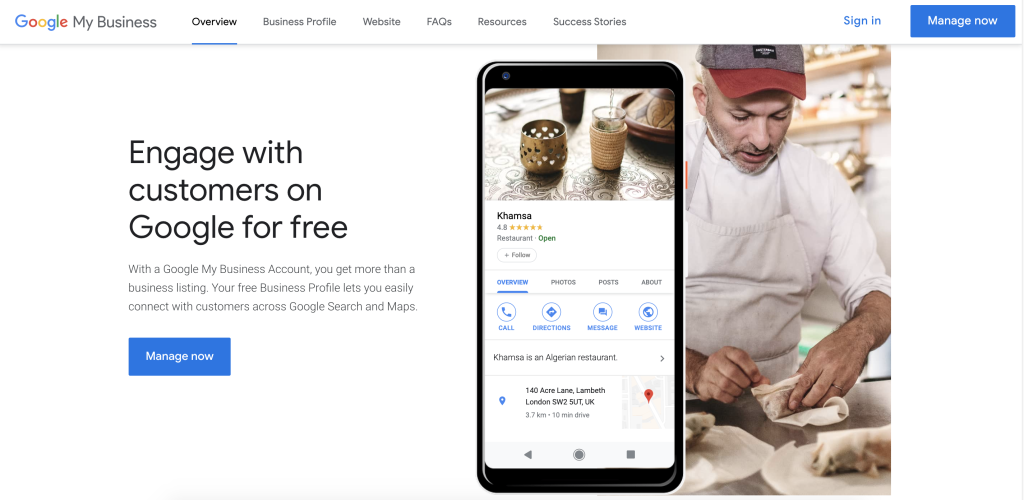
Google Business Profile (formerly Google My Business) is a free tool that controls how your business appears across Google Search and Google Maps. When someone searches for services like yours, your optimized profile is what determines whether you show up—and whether they click.
Your business profile includes:
- Business name, address, and phone number
- Business hours and service areas
- Photos and videos
- Customer reviews and ratings
- Google Posts updates
- Products and services offered
- Attributes that tell Google specific details about your business
The difference between a basic listing and an optimized Google Business Profile is the difference between being invisible and being the first call a potential customer makes.
PRO TIP
Why Google Business Profile Optimization Matters for Local Ranking
When it comes to local search, Google uses three main factors to determine which business profiles show up:
Relevance – How well your profile matches what the searcher is looking for
Distance – How close you are to the searcher
Prominence – How well-known and trusted your business is
You can’t control distance. But you absolutely control relevance and prominence through optimization.
In 2024, more than 81% of consumers used Google to research local businesses. If your profile isn’t optimized, you’re invisible to most of your potential customers.
Need help dominating local search?
Essential Google Business Profile Optimization Best Practices
1. Claim and Verify Your Business Profile
You’d be surprised how many businesses skip this basic step. If you haven’t claimed your profile, anyone can suggest edits to your business information—including competitors.
Go to google.com/business and search for your business. If it exists, claim it. If not, create it.
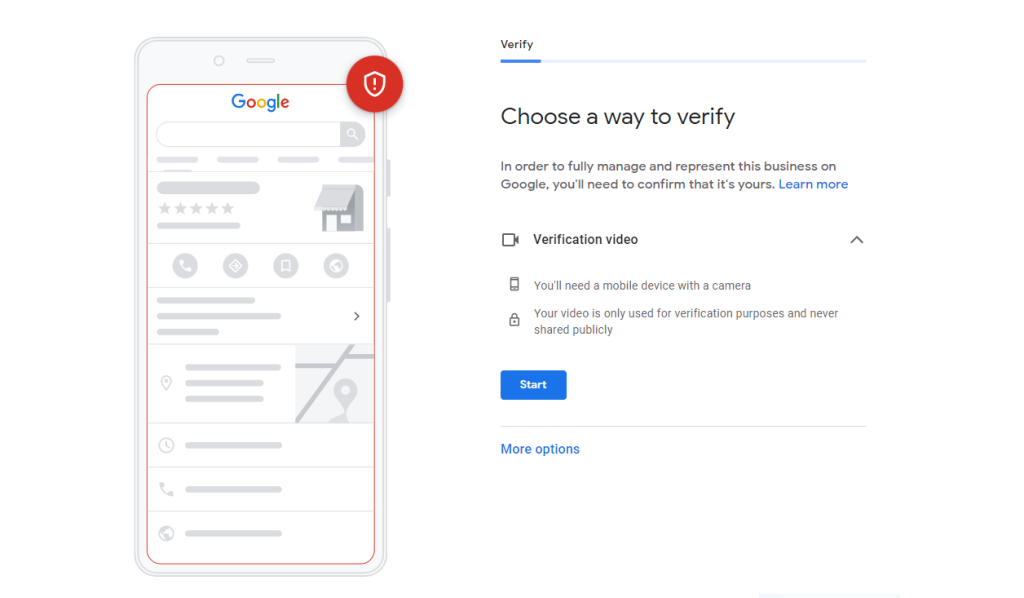
Google will need to verify your business, typically through:
- Postcard with verification code (most common)
- Phone verification
- Email verification
- Video verification (increasingly common, especially for service-based businesses)
PRO TIP
2. Complete Every Section of Your Profile
Incomplete profiles don’t rank. It’s that simple.
Google rewards businesses that provide comprehensive information because it helps them deliver better results to searchers. An optimized Google Business Profile should be 100% complete.
Priority sections to fill out:
- Business name (exactly as it appears in real life)
- Primary category and additional categories
- Business address (if you have a physical location)
- Service area (if you serve customers at their location)
- Phone number
- Website URL
- Business hours (including special hours for holidays)
- Attributes (more on this below)
- Brief description (750 characters to explain what makes your business unique)
- Products and services with detailed descriptions
Each section you complete is another signal to Google about your relevance for relevant searches.
3. Choose Your Categories Strategically
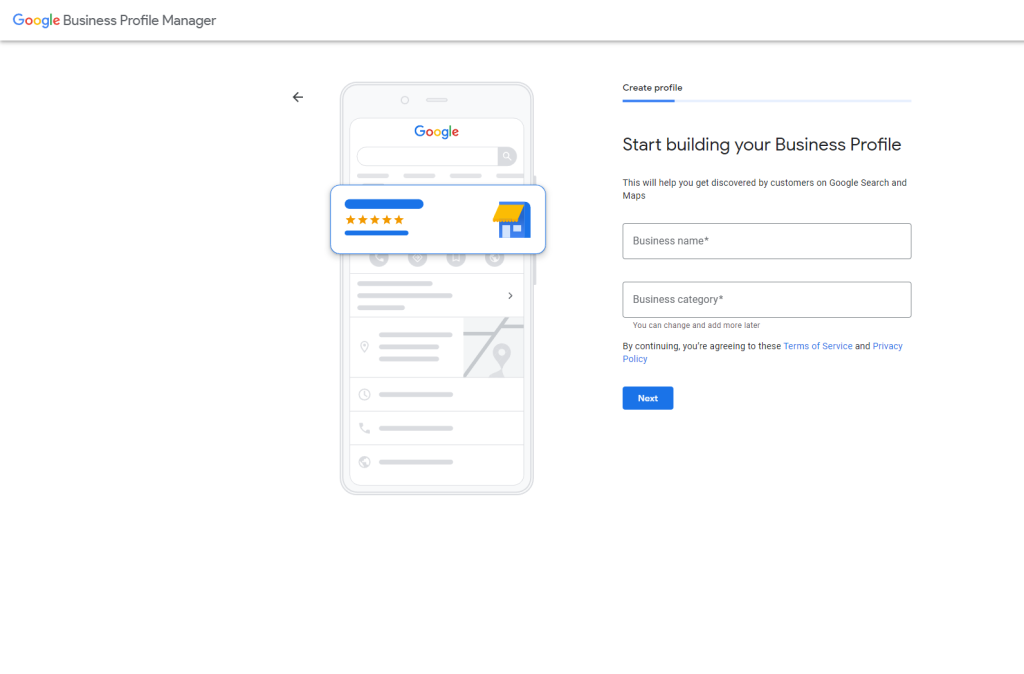
Your primary category is the most important ranking factor you control. It tells Google exactly what type of business you are.
Choose the category that most accurately describes your core business. Then add additional categories that represent other services you offer.
For example, a therapist might choose:
- Primary category: “Counselor”
- Additional categories: “Mental Health Service,” “Family Counselor,” “Marriage Counselor”
PRO TIP
4. Optimize Your Business Description
You have 750 characters to convince potential customers to choose you. Make them count.
Your description should:
- Explain what you do in the first sentence
- Include 2-3 relevant keywords naturally (avoid keyword stuffing)
- Highlight what makes you different from competitors
- Mention your service area if relevant
- Include a subtle call-to-action
Example for a therapist: “We provide compassionate mental health services to individuals, couples, and families in [City]. Our licensed therapists specialize in anxiety, depression, trauma, and relationship issues. We offer in-person and telehealth sessions with flexible scheduling to fit your life. Start your healing journey today.”
5. Select All Relevant Attributes
Attributes are specific features that help your business profile stand out in search. They tell Google—and customers—important details about your business.
Common attributes include:
- Online appointments
- In-store shopping or in-store pickup
- Wheelchair accessible
- LGBTQ+ friendly
- Veteran-led
- Women-led
- Accepts credit cards
The more accurate attributes you add, the better Google can match you to relevant searches. For instance, someone searching “therapist accepting new patients” will see your profile if you’ve selected that attribute.
PRO TIP
6. Keep Your Business Information Up-to-Date
Nothing frustrates potential customers more than showing up during listed business hours to find you’re closed. Or calling a disconnected phone number.
Google penalizes profiles with outdated information because it creates a poor user experience. Make it a habit to update your business information whenever anything changes:
- Holiday hours
- Temporary closures
- Phone number updates
- Website changes
- Service area modifications
Set a calendar reminder to review your profile monthly and verify that everything is up to date.
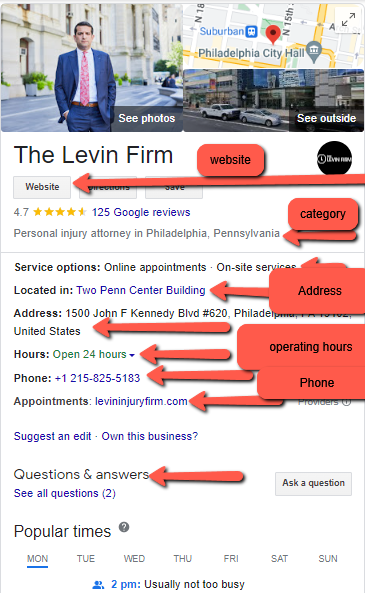
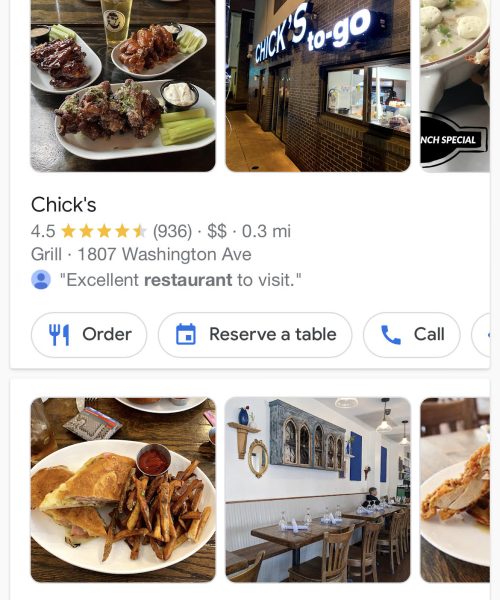
7. Add High-Quality Photos and Videos
Visual content is critical for converting searchers into customers. According to Google, businesses with photos receive 42% more requests for directions and 35% more clicks to their websites.
Upload photos that showcase:
- Your business exterior and interior
- Your team (puts a face to the name)
- Your services or products in action
- Before-and-after results (if applicable)
- Your workspace or office environment
Photo Guidelines:
- Minimum 720px wide x 540px tall
- JPG or PNG format
- File size under 5MB
- Well-lit and in focus
- No filters or heavy editing
Videos are even more engaging. A 30-60 second video introducing your business or showing your services can significantly increase engagement.
PRO TIP
8. Leverage Google Posts to Stay Visible
Google Posts let you share updates directly on your business profile. They appear in Google Search and Google Maps, giving you another way to communicate with potential customers.
Post about:
- New services or products
- Special offers or promotions
- Events or workshops
- Business updates or news
- Helpful tips related to your industry
Posts expire after 7 days, so plan to publish at least weekly to keep your profile fresh and engaging.
9. Get More Google Reviews (and Respond to Them All)
Reviews are social proof on steroids. They’re one of the top ranking factors for local SEO and a major decision driver for potential customers.
The numbers don’t lie:
- 98% of consumers read reviews for local businesses
- 49% of consumers trust online reviews as much as personal recommendations
- Businesses with positive reviews rank higher in local search results
Ways to get more reviews:
- Ask happy customers in person after a great experience
- Send a follow-up email with a direct link to write a review
- Add a review request to your email signature
- Create a simple landing page with instructions for leaving a review
- Train your team to ask for reviews as part of the checkout process
Responding to reviews is just as important as getting them. Reply to every review—positive and negative—within 24-48 hours. It shows you value customer feedback and care about their experience.
PRO TIP
10. Utilize Google Business Profile Features
Google regularly rolls out new features to help businesses connect with customers. Take full advantage of everything available:
Messaging: Let customers message you directly from your profile. Quick response times can turn inquiries into bookings.
Booking Button: If you use a scheduling platform that integrates with Google, add a booking button so customers can schedule appointments directly.
Q&A Section: Monitor and answer customer questions on your profile. You can also seed this section with frequently asked questions and your answers.
Products & Services: List specific offerings with descriptions and pricing (if applicable). This gives searchers detailed information without them leaving Google.
Service Menu: For service-based businesses, showcase your services with descriptions. This helps Google understand exactly what you offer.
11. Monitor Your Google Business Profile Dashboard
Your dashboard provides valuable insights into how customers find and interact with your profile:
- How customers search for your business (direct vs. discovery)
- Where customers find you (Search vs. Maps)
- Customer actions (website clicks, direction requests, phone calls)
- Photo views compared to similar businesses
Use this data to identify what’s working and where to improve. If you’re getting tons of views but few clicks, maybe your photos need an update. If people are requesting directions but not calling, perhaps your phone number isn’t prominent enough.
Want This Checklist in Your Back Pocket?
Common Google Business Profile Optimization Mistakes to Avoid
Even with the best intentions, businesses make mistakes that hurt their local ranking:
Using a PO Box as your address – Google wants physical business locations. Use a service area instead if you don’t have a storefront.
Keyword stuffing your business name – Your business name should be exactly as it appears in real life. Adding “Best Therapist in Austin” to your name will get you penalized.
Creating duplicate listings – One business gets one profile. Multiple listings for the same business will harm your visibility.
Ignoring negative reviews – Not responding makes the problem worse and signals you don’t care about customer experience.
Letting your profile go stale – Regular updates signal an active business. Set aside time monthly to refresh your profile.
Optimize Your Google Business Profile to Rank Higher in Local Search
Google Business Profile optimization isn’t rocket science, but it does require consistent effort. The businesses that rank at the top of local results aren’t necessarily the biggest or the oldest—they’re the ones that take optimization seriously.
Start with the fundamentals: claim your profile, complete every section, choose accurate categories, and gather reviews. Then layer in the advanced tactics: regular posts, updated photos, strategic attributes, and active customer engagement.
The result? Higher visibility in local search results, more website clicks, more phone calls, and more customers walking through your door.
Looking to dominate local search and turn your Google Business Profile into a lead-generation machine? Our team specializes in local SEO strategies that help service-based businesses rank higher and attract more qualified leads. Schedule a free consultation to see how a data-driven local SEO plan can transform your online visibility.
About BCC Interactive: We help businesses accelerate revenue growth by creating performance-driven marketing strategies that deliver measurable results. Our team brings Fortune 500-level expertise to small- and mid-sized businesses, focusing on SEO, content marketing, and sustainable lead generation—without the typical agency games. Let’s talk about growing your business.

