
Don't Let A Redesign Cost You The Pages That Bring In Your Leads
Your rankings, visitors and leads are tied to specific page addresses. Change one without a redirect, and that page has to start over. Most owners don’t find out until the calls slow down, weeks after launch.
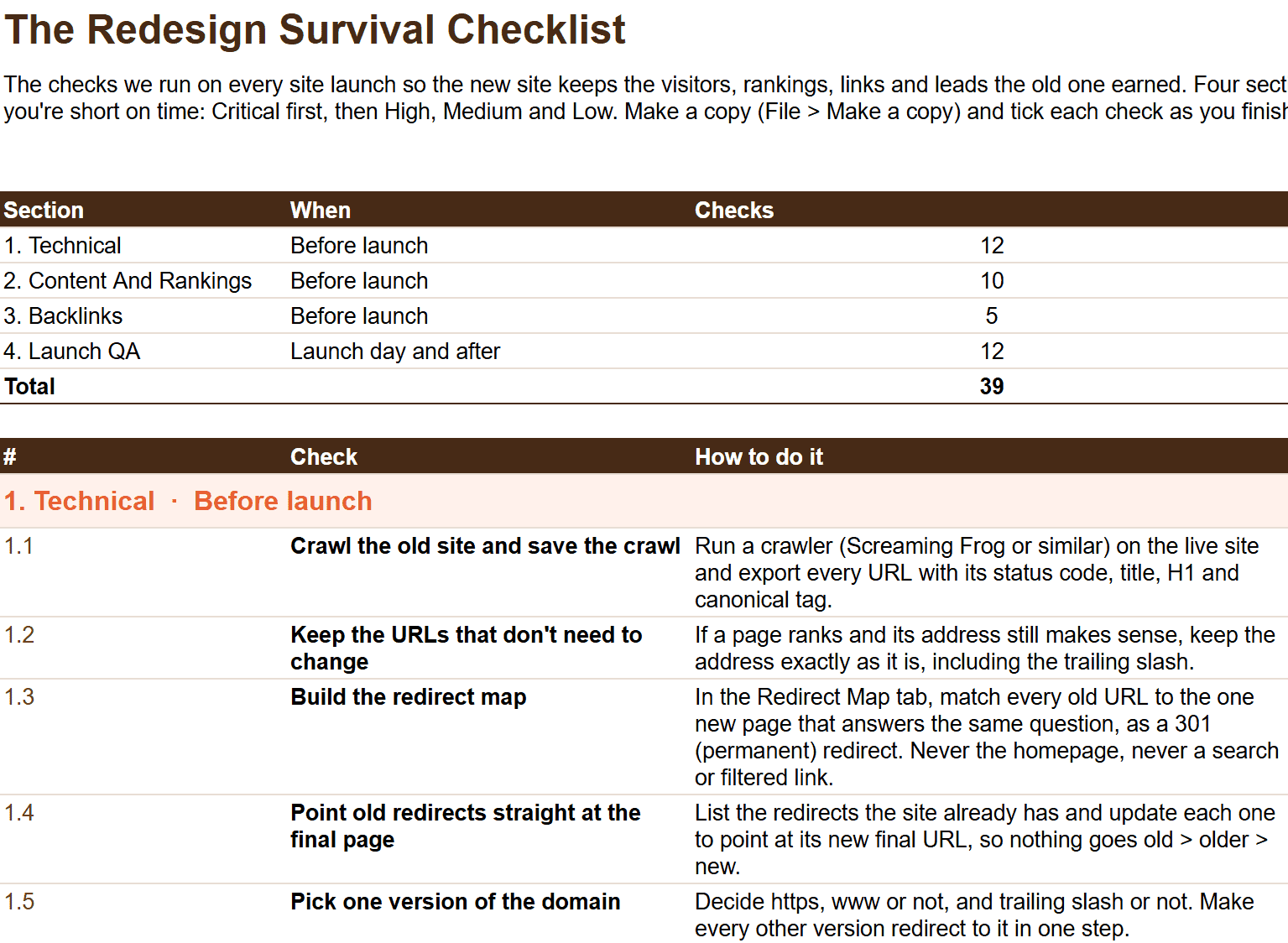
Will your new site keep what the old one earned? The Redesign Survival Checklist is the list we run on every launch, from the first crawl to the 90-day check.
Inside the Checklist:
- 39 checks in four sections: Technical, Content And Rankings, Backlinks, Launch QA
- Every check rated Critical, High, Medium or Low, so you know where to start
- How to do each one, and why it matters
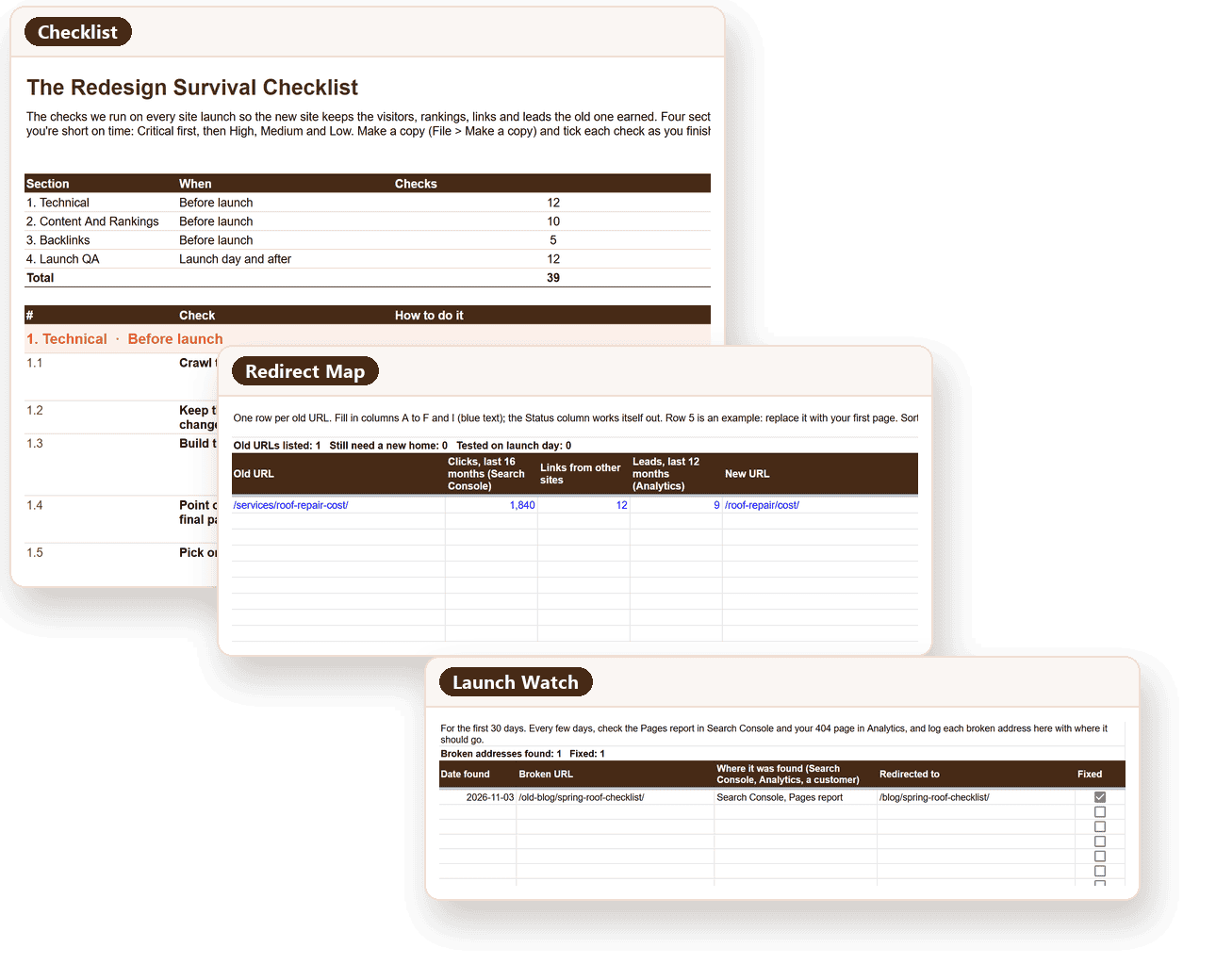
- Free Google Sheet with a Redirect Map tab and a 30-day Launch Watch log
Instant access. We’ll never sell your email.
Every check below is free to read on this page. The Sheet adds tick boxes, the Redirect Map and the Launch Watch log.
The traffic you lose in a redesign rarely shows up on launch day. The site loads, the pages look right, everyone signs off. The cost shows up weeks later as fewer calls and form fills, and by then nobody remembers what changed.
Four Places A Redesign Loses Traffic
Four sections, in the order they happen. Run them in order and the new site keeps what the old one earned.
Technical
Did every old page address get a new home, and are your forms still counted?
Content And Rankings
Which pages bring in leads, and does the new design keep what made them rank?
Backlinks
Which pages do other sites link to, and will those links still land somewhere?
Launch QA
Is Google allowed back in, and are your priority pages holding at 30, 60 and 90 days?
The Redesign Survival Checklist
All 39 checks, free to read. 14 Critical, 15 High, 7 Medium, 3 Low.
Priority:CriticalHighMediumLowEvery check matters. Start with Critical if you're short on time.
1. Technical
Before launch · 12 checks · 4 CriticalShow checksHide
- 1.1Critical
Crawl the old site and save the crawl
Run a crawler (Screaming Frog or similar) on the live site and export every URL with its status code, title, H1 and canonical tag.
Why: Once the old site is gone, this is your only full record of what was there.
- 1.2High
Keep the URLs that don't need to change
If a page ranks and its address still makes sense, keep the address exactly as it is, including the trailing slash.
Why: Every changed address is one more redirect that has to work on launch day.
- 1.3Critical
Build the redirect map
Match every old URL to the one new page that answers the same question, as a 301 (permanent) redirect. Never the homepage, never a search or filtered link.
Why: A redirect sends people and Google from the old address to the new one. Without it, the old page shows "page not found" and its rankings are lost.
- 1.4High
Point old redirects straight at the final page
List the redirects the site already has and update each one to point at its new final URL, so nothing goes old > older > new.
Why: Chains slow the page down and make it easier for Google to drop the address.
- 1.5Critical
Pick one version of the domain
Decide https, www or not, and trailing slash or not. Make every other version redirect to it in one step.
Why: Two versions of the same page split its rankings and its AI citations.
- 1.6Medium
Carry over technical tags
Canonical tags, structured data (schema), hreflang if you have more than one language, and Open Graph tags for social sharing.
Why: These tell Google and AI platforms what each page is. Templates often drop them.
- 1.7High
Make every template work on a phone
Check the menu, forms, click-to-call buttons and booking widgets on a real phone, not just a resized browser.
Why: A form or call button that doesn't work on a phone is a lead you never hear about.
- 1.8Medium
Check page speed on staging
Run the main templates through PageSpeed Insights before launch and fix anything slower than the old site.
Why: A redesign is the cheapest moment to fix speed.
- 1.9Medium
Keep or redirect images and PDFs
Keep the URLs of images and files that get traffic or links, or add them to the redirect map. Carry over image alt text.
Why: PDFs and images rank and get linked to. They're the pages people forget.
- 1.10Low
Build a helpful 404 page
The "page not found" page should have a search box and links to your main services, not just an error.
Why: Some visitors will hit it no matter what. Give them a way back in.
- 1.11Critical
Reconnect your lead tracking
Test every form, phone number, booking widget and chat on staging. Confirm each one records a conversion in Google Analytics and any ad accounts, and that call tracking still works.
Why: We've seen a relaunch where the lead tracking wasn't reconnected, so the new site couldn't show which pages brought in leads.
- 1.12High
Keep the staging site out of Google
Password-protect staging (the private copy you build on) and block it in robots.txt.
Why: A staging site Google can find competes with your real one.
2. Content And Rankings
Before launch · 10 checks · 4 CriticalShow checksHide
- 2.1Critical
Export 16 months of Search Console data
Performance > Pages and Performance > Queries, last 16 months. Save both.
Why: Search Console only keeps 16 months, and it's your baseline for every comparison after launch.
- 2.2Critical
Export leads by landing page
From Google Analytics: sessions and conversions by landing page, last 12 months.
Why: Traffic tells you which pages are found. Leads tell you which ones you can't afford to lose.
- 2.3Critical
Flag your priority pages
Mark the pages that bring in the most clicks, leads or revenue. They get mapped, rebuilt and tested first.
Why: These are the pages you can't afford to get wrong.
- 2.4High
Record current rankings
Save the positions of the searches that matter to you, from a rank tracker or Search Console.
Why: Without a baseline you can't tell a launch dip from a real loss.
- 2.5Medium
Record your AI visibility
Ask ChatGPT, Gemini and Perplexity the questions your customers ask. Note who they name and which of your pages they cite.
Why: AI answers link to specific page addresses. You want to know which ones before they change.
- 2.6High
Decide keep, merge or cut for every page
Keep pages that bring in visitors or leads. Merge thin pages on the same topic into the strongest one and redirect the rest. Only cut pages nobody finds or links to.
Why: A cut page takes its rankings and links with it.
- 2.7High
Don't delete pages people still find
Sold listings, discontinued products and old blog posts with traffic stay live and marked, or redirect to the closest match.
Why: Those pages often bring in searches the new pages don't.
- 2.8Critical
Carry over what Google reads on each page
Title tag, meta description, main heading, and the body copy that answers the question. Don't cut copy from pages that rank.
Why: A new design that drops the copy drops the reason the page ranked.
- 2.9High
Keep your internal links
Menu, footer and in-text links to priority pages should still exist on the new site.
Why: Internal links tell Google which pages matter most.
- 2.10Medium
Sign off content before design
Review each priority page's content on staging before anyone approves the design.
Why: It's much harder to add copy back once a design is approved.
3. Backlinks
Before launch · 5 checks · 3 CriticalShow checksHide
- 3.1Critical
Export every page other sites link to
Search Console > Links > Top linked pages, plus Ahrefs, Semrush or Moz if you have them.
Why: Links from other sites are some of the hardest rankings to earn back.
- 3.2Critical
Redirect every linked page
Make sure every page on that list is in the redirect map, even if it gets no traffic.
Why: A linked page with no redirect throws its links away.
- 3.3High
Update links you control
Google Business Profile, social profiles, directory listings, email signatures and email templates.
Why: These are links you can fix yourself today.
- 3.4Critical
Update your ads
Final URLs, sitelinks and any tracking templates in Google Ads, Microsoft Ads and Meta.
Why: Ads pointing at old addresses send paid clicks to error pages, and platforms can disapprove ads whose links break.
- 3.5Low
Ask for your best links to be updated
For the handful of most valuable linking sites, ask them to point at the new URL.
Why: A direct link is stronger than one that passes through a redirect.
4. Launch QA
Launch day and after · 12 checks · 3 CriticalShow checksHide
- 4.1Critical
Let Google back in
Check robots.txt allows crawling and no live page carries a noindex tag copied from staging.
Why: A live site still blocked from Google disappears from search.
- 4.2Critical
Switch on the redirects and test them
Open your 20 most visited old URLs and every linked URL in a private window. Each should land on its new page in one step.
Why: Redirects that look right in a spreadsheet can still break on the server.
- 4.3High
Crawl the live site
Look for 404s, redirect chains, missing titles or H1s, and canonical tags pointing at the staging site.
Why: It catches broken links, missing tags and redirect loops in one pass.
- 4.4Critical
Test every form, call button and booking widget live
Submit each one on the live site and confirm the lead arrives and the conversion is recorded.
Why: Staging and live are different servers. Test both.
- 4.5High
Submit the new sitemap
In Google Search Console and Bing Webmaster Tools, with only live pages that return 200.
Why: It tells both search engines which addresses are new.
- 4.6High
Check analytics on every template
Use real-time reports to confirm visits are recorded on each page type.
Why: A missing tag on one template hides a whole section of the site.
- 4.7High
Watch for "page not found" for 30 days
Every few days, check the Search Console Pages report and your 404 page views in Analytics. Redirect every real page that turns up and log it.
Why: A month after one relaunch we saw, the 404 page was drawing about 7% of the site's search visitors.
- 4.8Medium
Inspect your priority pages
Use URL Inspection in Search Console on each priority page to confirm Google can crawl and index it.
Why: It shows whether Google can index each page before traffic tells you.
- 4.9Medium
Check ads and listings for broken links
Look for disapproved ads and check your Google Business Profile link.
Why: These can break without anyone noticing.
- 4.10Low
Re-ask your AI visibility questions
A few weeks after launch, ask the same questions and see which pages get cited now.
Why: These platforms change month to month. You want to know whether your new pages are being picked up.
- 4.11High
Compare every priority page at 30, 60 and 90 days
Clicks, rankings and leads against your baseline, for the same period before launch, or last year if you're seasonal.
Why: Sitewide totals hide the pages that dropped.
- 4.12High
Keep the redirects for at least a year
Longer for any old address that still gets visits or links.
Why: Removing redirects early throws away what they were protecting.
What You'll Get In The Sheet
- Tick boxes and a progress count for every section
- A Redirect Map tab that flags any old URL still missing a new home
- A Launch Watch tab to log every "page not found" you fix in the first 30 days
- All 39 checks with how-to and priority, ready to share with your developer
Questions People Ask Before They Download
A redesign is the one project that can undo years of search work in a weekend. These come up on almost every call we have about one.
“Is this only for big sites?”
No. A 20-page site loses leads the same way a 2,000-page site does. A smaller site just has a shorter redirect map.
“Our developer says they handle SEO. Do we still need this?”
Hand them the Sheet. If every Critical check is already done, you’ve lost nothing. If not, you’ve found out before launch.
“We already launched. Is it too late?”
No. Start with Launch QA: let Google back in, test your top old URLs and watch for “page not found”. Then work back through the Critical checks.
“Do I have to do all 39?”
Every check matters, which is why they’re all on the list. The priority tells you the order: Critical first, then High, Medium and Low.
Relaunch Without Starting Over.
Most redesigns are judged on how the new site looks. This checks what it does to the leads the old one brought in.